Open source · Self-hosted · MIT licence
Hand out commands, not SSH keys.
CommandGuard is an operations console for your servers in one Go binary. Save the commands people are allowed to run, schedule and chain them, and keep browser terminals alive after you close the tab.
- No database
- No agent on your hosts
- Linux over SSH, Windows over WinRM
- Runs on your own infrastructure
What it does
The jobs you keep SSHing in for, in one place
Register a host once, then decide who may run what on it. Everything that runs is written to its own log file.
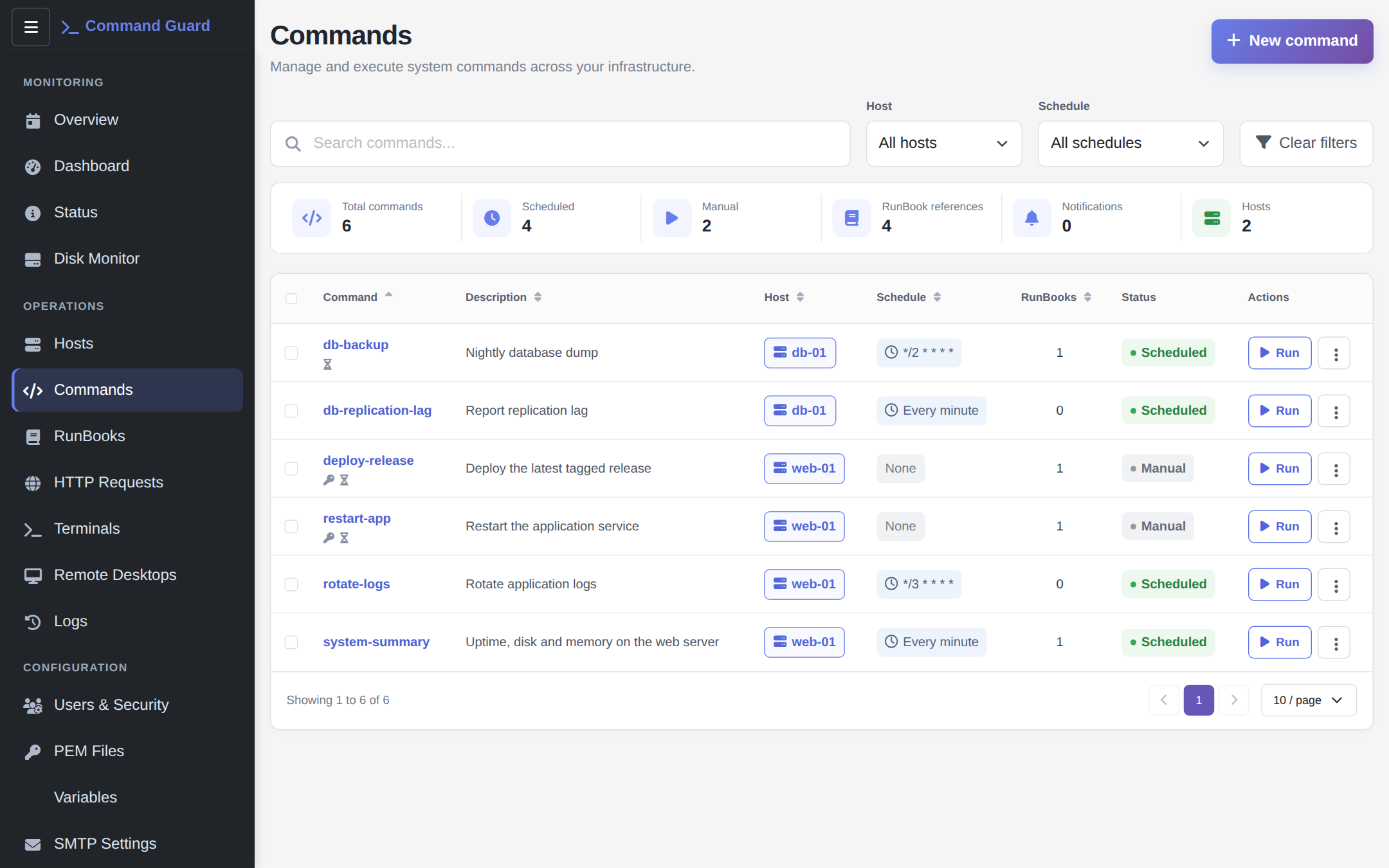
Command delegation
Run saved commands from the UI, from an HTTP endpoint with a bearer token, or on a cron schedule. Users see only what they were granted.
RunBooks
Ordered steps with retries, delays, timeouts and stop-or-continue on failure, with live progress and one consolidated result.
Persistent terminals
SSH terminals in the browser that keep running after you log out and after the server restarts. Drop a file on a session to copy it to the host.
Agent Sessions
Saved presets of host, folder and coding agent that open a terminal ready to work. The tab blinks when the agent is waiting for you.
HTTP requests
Saved API calls with auth, retries, expected status and assertions. Run them by hand, on cron, or as RunBook steps.
Disk Monitor
Free-space checks over SSH with thresholds, alert emails with a cooldown, and a daily summary.
Remote desktops
VNC in the browser, direct or through an SSH tunnel, with control or view-only access. Passwords never reach the browser.
Users and security
TOTP two-factor sign-in, per-user grants, IP allow-lists, weekday and time windows, login lockout and a security audit log.
Notifications
Email and webhook reports per command and per RunBook, with the output attached or linked.
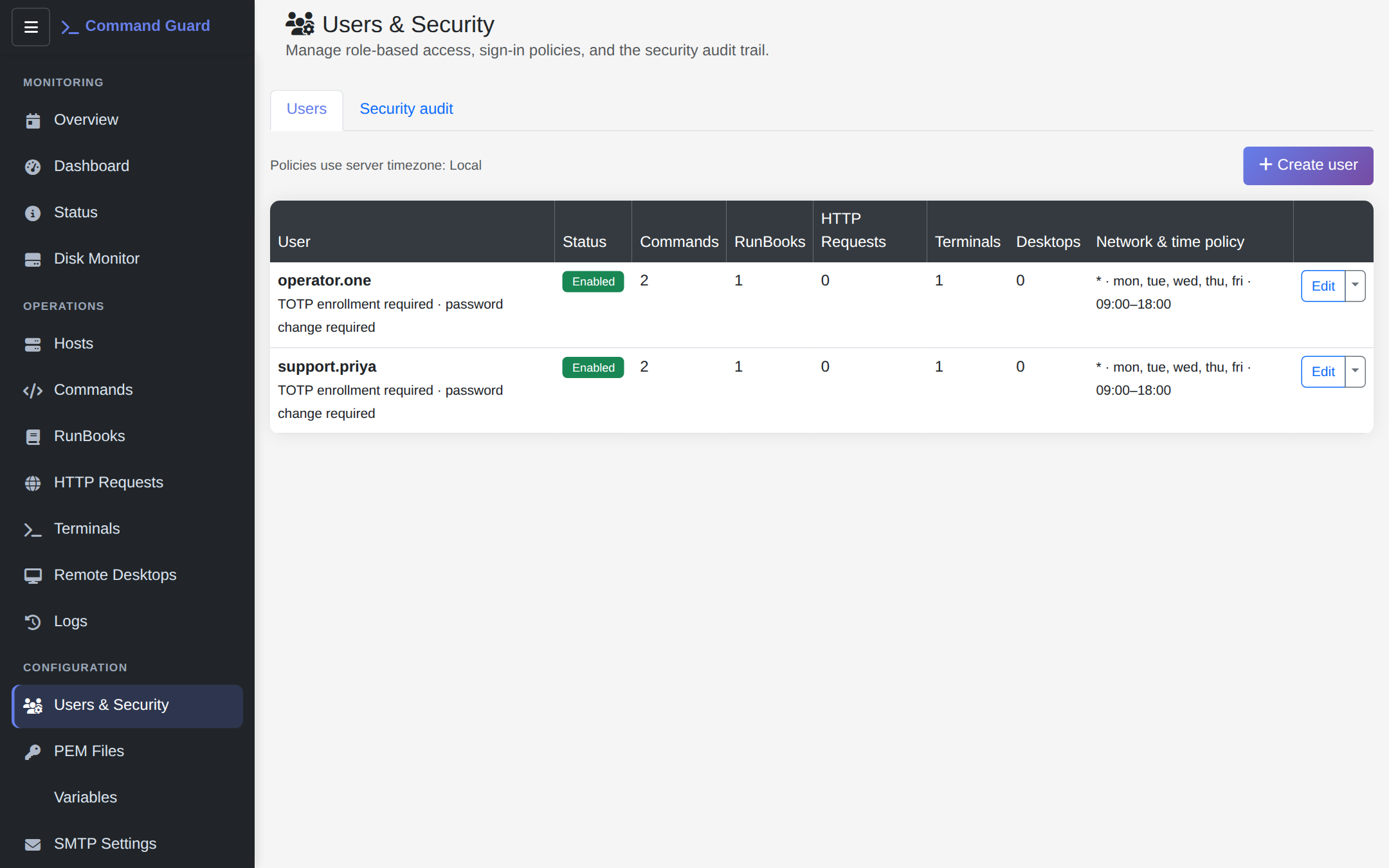
Terminals
Close the tab. The session keeps running.
- Sessions live in a small companion daemon, so they survive logout and a restart of the main server.
- Reopen them from any browser and pick up where you left off, scrollback included.
- Start a coding agent on a remote host, walk away, and get a blinking tab when it needs your answer.
- Reach private hosts through a bastion host, with no OpenSSH config to maintain.
Scheduling
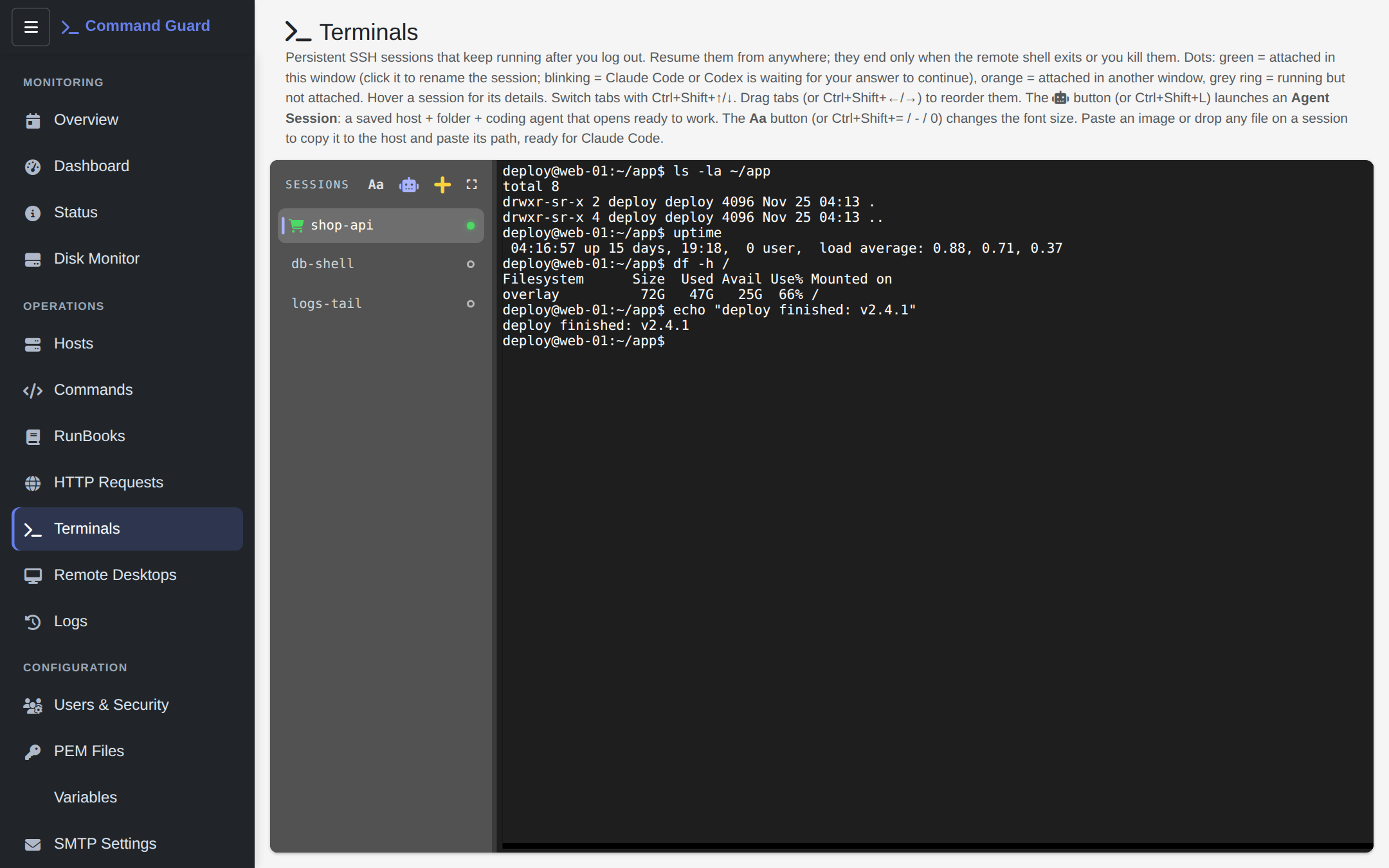
See what ran, what failed and what is next
- Cron schedules for commands, RunBooks and HTTP requests.
- A day view of expected against observed runs.
- One log file per execution, searchable by host, job, type and status.
- Time limits and skip-if-running so a stuck job cannot pile up.
Access control
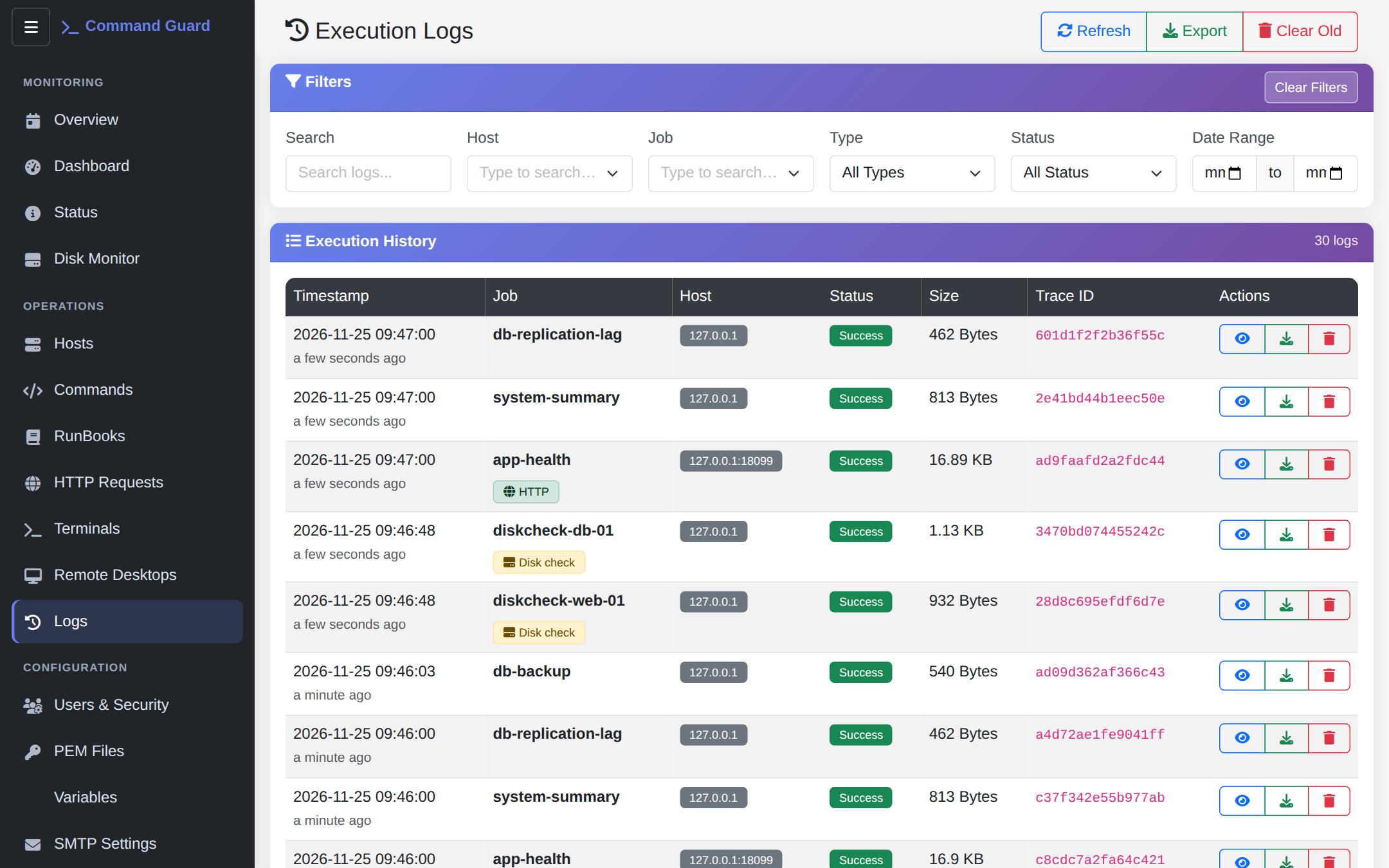
Give each person exactly the buttons they need
- Grant individual commands, RunBooks, HTTP requests, terminal hosts and remote desktops.
- Limit sign-in by IP range, weekday and time of day.
- Every account uses an authenticator app; lockouts slow down guessing.
- Sign-ins, grants and configuration changes go to the security audit log.
How it works
One binary between your team and your servers
CommandGuard connects out to your hosts over SSH or WinRM. Nothing is installed on them, and your traffic never passes through anyone else's service.
Add your hosts
SSH with a password or key, optionally through a bastion; Windows over WinRM.
Save what may run
Commands, RunBooks and HTTP requests, each with an optional schedule, token and time limit.
Grant and hand over
Create users, tick what each may use, and share the link instead of a key.
Quick start
Running in a few minutes
Build from source with Go 1.26 or newer, or use the Dockerfile in the repository.
The script builds everything into an instance/ folder, creates a config from the sample and starts the server. On first start the sign-in page asks you to choose an admin password and enrol an authenticator app. Then replace the sample hosts on the Hosts page and press Run on your first command.
# get the code
git clone https://github.com/pari/command_guard.git
cd command_guard

# build and run, then open http://127.0.0.1:8080
./compile_and_run.sh
# call a command from a script
curl -H "Authorization: Bearer <token>" \
  http://127.0.0.1:8080/api/commands/system-summary
Project status
What to expect, plainly
CommandGuard is version 0.8. It has run its author's servers every day since 2025, and the public project is new.
What is solid
- MIT licensed, no paid tier, no telemetry.
- Runs entirely on your infrastructure.
- Configuration is one readable JSON file with hot reload and a
--validateflag. - Encrypted backup and restore from the UI.
What it is not, yet
- No independent security audit and no compliance certifications.
- SSH host keys are trusted on the first connection, as OpenSSH does by default; strict pinning is optional.
- Secrets sit in
config.json; protect that file or use environment variables. - One built-in admin account and no SSO.
- No built-in TLS: run it behind a reverse proxy.
The full list of known limitations and how to report a vulnerability are in SECURITY.md in the repository.
FAQ
Questions people ask first
Is there a hosted version?
No. CommandGuard is software you run yourself. Your credentials and your SSH traffic stay on your own machines.
What do I need to run it?
A Linux machine that can reach your hosts, and Go to build it (or Docker). There is no database; state is a config file and a logs folder.
Does it work with Windows servers?
Yes, for commands and RunBooks, over WinRM. Terminals, Disk Monitor and bastion hosts are SSH only.
How is this different from giving someone a restricted shell?
People never get a login on the server. They get a web page with the specific commands you approved, behind two-factor sign-in, with every run logged.
Can scripts and CI call it?
Yes. Give a command, RunBook or HTTP request a bearer token and it becomes an HTTP endpoint that returns the output, exit code and a trace ID as JSON.
Is it free for commercial use?
Yes. The MIT licence allows commercial use, modification and redistribution.